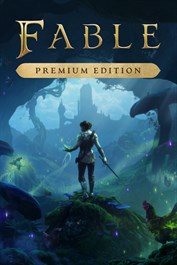
Fable Premium Edition - PRE-PURCHASE

OS: Xbox Series X|S / PC · Optimised for Xbox Series X|S?: Yes · Subscription: Online multiplayer on Xbox requires Xbox Live Gold (subscription sold separately). · Other: Internet Access


 + mange flere
- Sertifisert selgerOffisielle koder fra merkevarer
- Sikker betalingVelg blant mange alternativer
- Umiddelbar leveringPå under 2 minutter



Beskrivelse
THIS EDITION INCLUDES
- Base game
- Chicken Suit and a collection of charming in-game Gifts (Pre-Order Bonus)
- 5 Days Early Access
- Premium Edition Content Pack
- Fable Digital Artbook & Soundtrack
- Fable: Order of the Hero expansion coming post-launch.
ABOUT THE GAME
Become the Hero you want to be in an immersive open-world action RPG where each choice shapes your journey, reputation is everything, and fairytale endings are never guaranteed.
A NEW BEGINNING FOR A LEGENDARY FRANCHISE
Fable returns in a stunning reboot of a beloved franchise. As the first Hero in a generation, explore a living Albion filled with peculiar characters, dark humour, and chickens... lots of chickens. This isn’t just nostalgia — it’s a new beginning set in a beautifully vibrant open world.
BE THE HERO YOU WANT TO BE
Customize your Hero’s appearance and wield powerful weapons as you weave melee, ranged, and magical combat. Take on bandits, beasts, and creatures — including brand-new enemies and fan-favorites like Hobbes, Balverines, and Trolls. Your power grows right alongside your reputation.
BUILD AN EXTRAORDINARY LIFE
Beyond all the combat lies a living world where you can carve your own identity. Get filthy rich as a landlord or blacksmith, romance a villager (or three), have a bunch of kids, and watch as your reputation precedes you. Being a Hero is a bit like being a celebrity… if celebrities carried swords and occasionally battled giant fire-breathing chickens.
YOUR CHOICES CHANGE THE WORLD
In Albion, a Hero’s reputation is everything. Your noble deeds and questionable decisions affect your relationship with each villager and can even shape the world around you. Whose opinion matters most? The choice is yours… and so are the consequences. It’s up to you to decide what it means to be a Hero.
Innløs
HOW TO REDEEM XBOX PLAY ANYWHERE GAME CODE
Xbox One Console / Xbox Series X|S Console:
- Sign in to your Xbox One / Xbox Series X|S (make sure you’re signed in with the Microsoft account you want to redeem the code with)
- Press the Xbox button on the controller to open the guide, and then select Store.
- Press the View button on the controller to open the side menu, and then select Redeem.
- Enter your unique code that you received from TokenStore and select Next, and then follow the prompts.
Xbox 360 Console:
- Sign in to your Xbox 360 (make sure you’re signed in with the Microsoft account you want to redeem the code with)
- Press the Guide button on your controller
- Select Games & Apps, and then select Redeem Code.
- Enter your unique code that you received from TokenStore and then follow the prompts.
Web Browser:
- On your PC or phone’s browser, navigate to https://redeem.microsoft.com
- Sign in with your Microsoft account credentials (make sure you’re signed in with the Microsoft account you want to redeem the code with).
- Enter your unique code that you received from TokenStore and select Next, and then follow the prompts.
Microsoft Store on Windows:
- On your PC, press the Start button , and then enter the store into the search bar.
- Choose Microsoft Store from the results to open the app and sign in with your Microsoft account credentials (make sure you’re signed in with the Microsoft account you want to redeem the code with).
- Select your account in the top-right corner of the screen, and then select Redeem code or gift cards.
- Enter your unique code that you received from TokenStore and select Next, and then follow the prompts.
Xbox App for Windows (ONLY PC):
- On your PC, press the Start button , and then enter Xbox into the search bar.
- Choose the Xbox app from the results to open the app and sign in with your Microsoft account credentials (make sure you’re signed in with the Microsoft account you want to redeem the code with)
- Select your gamerpic, and then select Settings.
- Select Redeem under Redeem a code.
- Enter your unique code that you received from TokenStore and select Next and then follow the prompts.